如何将FastStone Viewer的图像位置重置为(0,0)?请跟随以下步骤操作。
1、 单击FastStone Image Viewer

2、 在FastStone ImageViewer窗口里,点击进入设置选项。
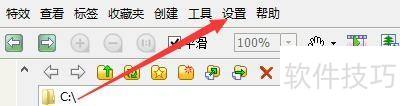
3、 在弹出的下拉菜单中,再次选择设置。
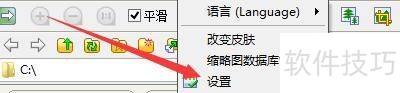
4、 进入设置窗口后,点击查看选项。

5、 在查看窗口里,勾选读取图像时重置位置至(0,0)选项。

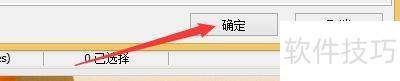
6、 点击确定按钮即可完成操作。

如何将FastStone Viewer的图像位置重置为(0,0)?请跟随以下步骤操作。
1、 单击FastStone Image Viewer
2、 在FastStone ImageViewer窗口里,点击进入设置选项。
3、 在弹出的下拉菜单中,再次选择设置。
4、 进入设置窗口后,点击查看选项。
5、 在查看窗口里,勾选读取图像时重置位置至(0,0)选项。
6、 点击确定按钮即可完成操作。